
Views: 0 Author: Site Editor Publish Time: 2026-05-15 Origin: Site


For a small apparel shop, buying a printer can feel deceptively simple. One machine looks compact and affordable; another looks more “commercial” and expensive. The difficult part is not deciding whether DTF printing works. It usually does. The real question is whether an A4 setup can carry your order flow, or whether you will outgrow it before the first busy season arrives.
This is where many new sellers get stuck. A4 desktop DTF printer systems look attractive because they fit on a desk and keep the first purchase manageable. A3 machines cost more and need more room, but they solve several problems that appear only after real orders start coming in: film waste, slow feeding, white ink maintenance, curing consistency, and the constant pressure to ship faster.
Below is a practical comparison written from the production side rather than from a brochure. The goal is simple: help you match the machine to the type of work you actually sell, not to the highest speed printed on a spec sheet.
A4 is reasonable for samples, hobby work, small logos, children’s apparel, and early-stage testing.
A3 is usually the safer starting point for paid apparel work because it can handle chest prints, back graphics, and gang sheets.
The real bottleneck is rarely the print command itself. Feeding, powdering, curing, and cleaning decide daily output.
White ink management matters more than many buyers expect. Poor circulation or irregular use can make a cheap printer expensive very quickly.
The size difference between A4 and A3 sounds small on paper. In production, it changes the type of orders you can accept. An A4 sheet is about 8.3 by 11.7 inches. That is enough for left-chest logos, sleeve marks, baby clothing, hat patches, and small custom designs. It becomes limiting when a customer wants a full adult chest print or a hoodie back print.
An A3 format, at around 11.7 by 16.5 inches, feels much more flexible. A typical adult T-shirt graphic fits comfortably. A back design can fit with fewer compromises. You can also place a front logo, neck label, and small sleeve artwork on the same film. That one difference affects material cost, labor time, and customer satisfaction.
If you print one design per sheet, DTF can become wasteful. A3 gives you more room to group designs together. A local sports club order, for example, might include player names, chest logos, and small sponsor marks. With a larger print area, you can arrange those elements tightly and use more of the film. That is the basic reason A3 systems lower cost-per-transfer even when ink and film prices are the same per square inch.
A smaller small DTF printer still has a place, especially when the shop is testing designs or printing only a few pieces per day. But once you are batching work, A4 begins to feel like a narrow lane on a busy road.
Production Metric | A4 Desktop System | A3 Commercial System |
|---|---|---|
Workflow Style | Mostly manual, sheet by sheet | Often roll-fed or batch-friendly |
Practical Output | About 40–50 small pieces in a long day | About 80–100 mid-size pieces when the workflow is tuned |
Labor Feel | High touch; someone keeps checking it | Better for batching and longer runs |
Where It Starts to Hurt | Around 30 items per day | Around 100+ items per day |
A low purchase price can be useful, but it is not the same as a low production cost. Entry-level A4 printers often sit in the $1,000 to $4,000 range. A3 systems usually start higher, commonly from about $2,500 and climbing past $7,000 depending on build quality, ink circulation, feeding, and curing options.
The cheapest converted machines are the risky category. Some are modified office printers originally built for paper, not heavy textile inks. They may print nicely for a while, then become unreliable once daily production begins. For a shop taking paid orders, a purpose-built DTF printer is usually the better investment because the frame, film handling, ink path, and maintenance design are closer to the job you are asking it to do.
Consumables also behave differently in real life. Film, powder, and ink may cost the same per square inch, but waste is not equal. A3 roll or larger sheet workflows let you arrange artwork more efficiently. A4 users often throw away more blank film around each design. On a single job that may not matter. Across hundreds of orders, it does.
Then there is the maintenance ink tax. DTF printers need regular cleaning, especially around white ink. Some of the ink you buy will never go onto a shirt; it will be used to keep the system alive. Printheads are also consumables, not lifetime parts. Depending on the model, replacement costs can land anywhere from a few hundred dollars to much more.
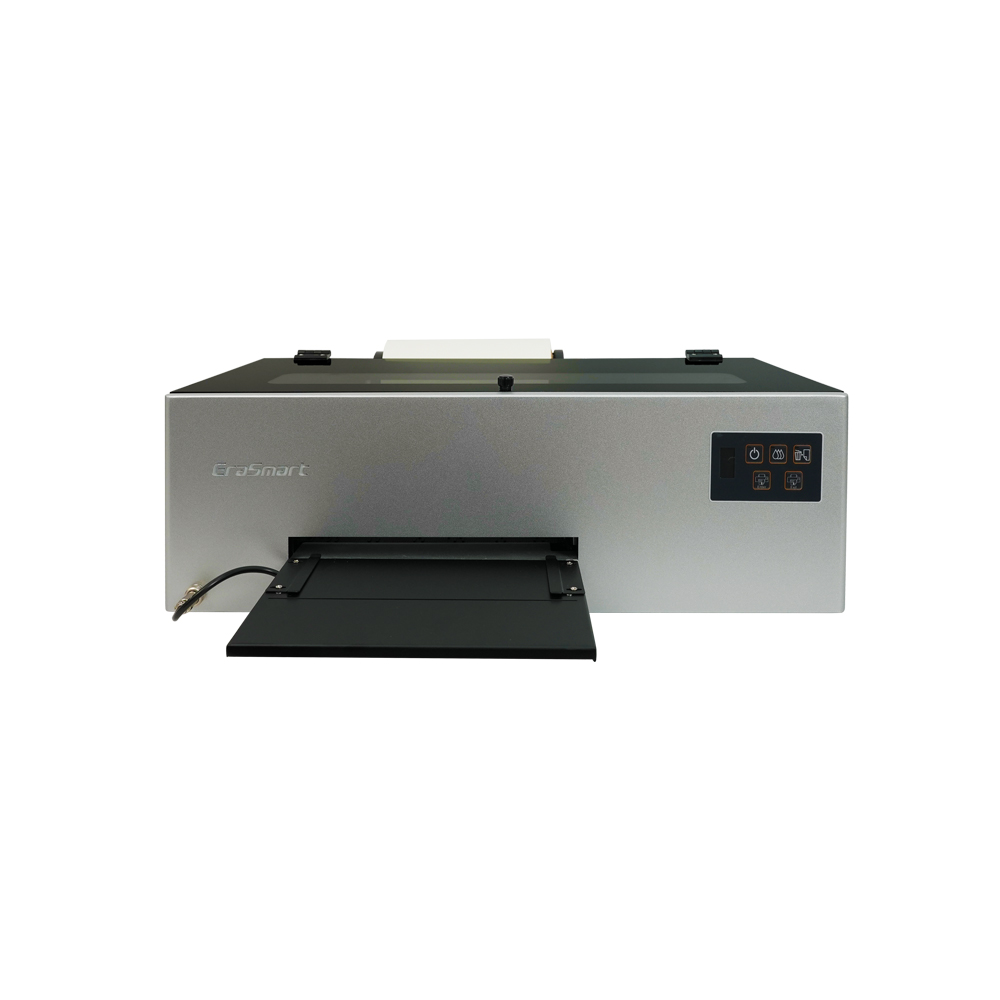
White ink is the reason dark shirts look good, and it is also the reason many owners learn maintenance the hard way. The pigment that gives white ink its opacity is heavy. When it sits still, it settles. If it settles long enough, it can create clogs that simple cleaning cycles will not fix.
Basic A4 systems often depend on manual shaking and routine cleaning. That can work if the owner is disciplined and prints regularly. It becomes less forgiving when the printer is used only on weekends or left idle for a few days.
A3 commercial machines usually offer better fluid management. A commercial small business printer may include white ink circulation, mechanical stirring, stronger cleaning stations, and improved dampers. These details are not glamorous, but they influence printhead life, color consistency, and the number of mornings wasted troubleshooting instead of shipping orders.
DTF film does not always stay perfectly flat after heavy ink is laid down. It can wave, curl, or lift slightly. A vacuum bed helps hold the film down so the printhead does not strike the surface. Head strikes ruin prints and can damage the most expensive part of the machine. If your budget allows it, a stable film path and suction system are worth prioritizing over decorative features.
An A4 printer can live in a smaller room. It pairs with a small curing oven, a hover heat press, or a basic desktop workflow. That is useful for a garage business, sample studio, or low-volume custom shop.
A3 equipment needs a more serious workspace. You need a sturdy table, better ventilation, room for film handling, and a curing process that keeps up with the printer. If you add an automated powder shaker and curing tunnel, the footprint grows again. The upside is consistency: powder coverage becomes more even, curing becomes less guesswork, and the operator spends less time handling each transfer.
Climate control also matters. DTF prefers stable humidity and temperature. Very dry air can create static that pulls powder into places it does not belong. Excess moisture can cause clumping. Treat the printer area like a production corner, not like a spare desk beside an open window.
Choose A4 if your work is mostly samples, gifts, small logos, occasional customer jobs, or low-risk market testing. It is a practical way to learn the DTF process without committing to a larger production cell.
Choose A3 if you already sell apparel, expect repeat orders, want to print standard adult graphics, or need to prepare gang sheets. The bigger format gives you fewer design restrictions and a more scalable workflow.
Consider outsourcing first if your orders are inconsistent. Buying transfers from a supplier can be more expensive per sheet, but it helps you validate demand before taking on daily maintenance and equipment responsibility.
A4 and A3 DTF systems are not simply small and large versions of the same idea. They belong to different business stages. A4 helps you start carefully. A3 helps you produce more confidently. Before buying, estimate your daily garment count, the size of your typical artwork, how much labor you can spend on maintenance, and whether your workspace can support curing and ventilation. The right choice is the one that keeps orders moving without turning every print day into troubleshooting.
You can, but it is not ideal. DTF printers prefer regular use because white ink settles quickly. If the machine sits idle, plan for cleaning time and possible ink waste before each session.
It may work for learning, but it is risky for paid production. Converted paper printers usually lack the film handling, ink management, and durability needed for daily textile work.
Not on day one, but once you run longer batches, a shaker becomes hard to avoid. It improves powder consistency, reduces mess, and helps the printer keep moving without constant manual work.


