
Views: 0 Author: Site Editor Publish Time: 2026-02-05 Origin: Site


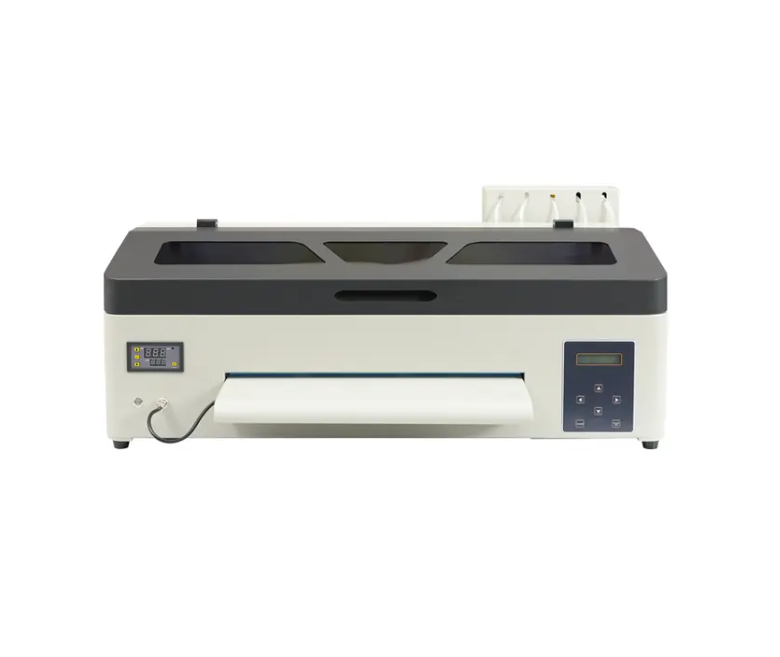
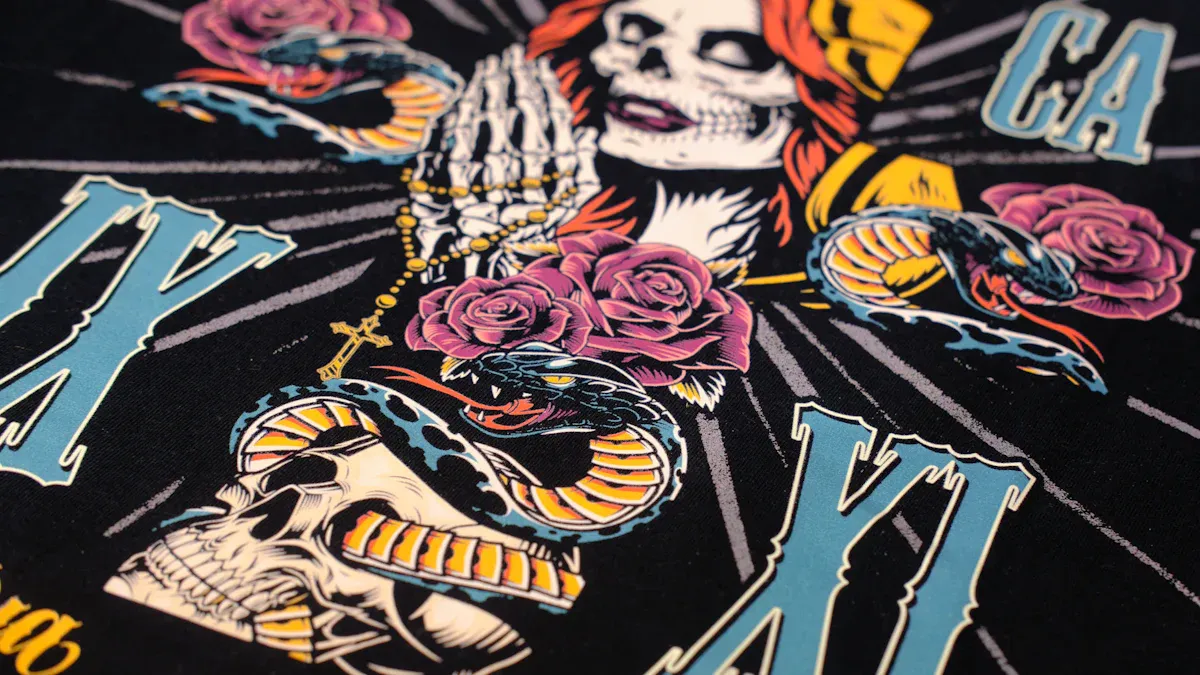
If you want the best results with dtf transfers, you need a dedicated dtf printer. Regular inkjet or laser printers just can’t compete. A specialized printer gives you sharper details, smooth gradients, and vibrant colors. You’ll also spend less time on maintenance and get more prints done each hour. Print resolution matters a lot, especially for high-detail designs and logos. Check out the chart below to see the minimum DPI you should aim for:
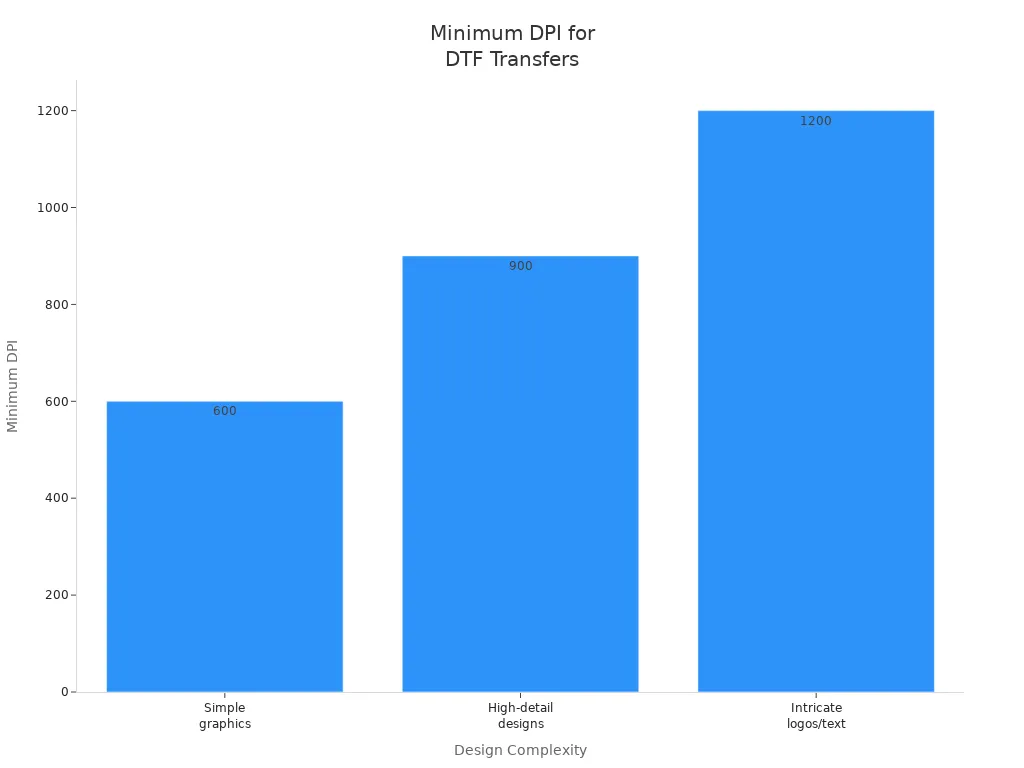
Pick a DTF printer for the best prints. These printers show sharper details and bright colors. They also need less care.
Find printers with at least 1440 dpi resolution. Higher resolution makes your designs clear and detailed.
Use special DTF inks for better stick and color. Regular inks do not give bright results on different fabrics.
Think about how fast the printer works and how much care it needs. A faster printer saves you time. Regular care helps it work well.
Choose a trusted brand with good customer help. This means you get help when you need it. It also means less waiting if something breaks.
When you want to get the best out of dtf transfers, you need a dedicated DTF printer. These printers are built for dtf printing from the ground up. You can print on all kinds of fabrics without worrying about pretreatment. That means you can switch between cotton, polyester, blends, and more with no extra steps.
Dedicated dtf printers use a special white ink layer. This layer makes your transfers pop, even on dark shirts or hoodies. You get bright, bold colors that stay vibrant after many washes. You don’t have to worry about your prints cracking or fading. Here’s what makes these printers different:
You can print on a wide range of fabrics with no pretreatment.
The white ink layer gives you solid, opaque colors on dark materials.
Your dtf transfers last longer and look better, even after lots of washes.
You get smooth gradients and sharp details, thanks to high dpi and great resolution.
If you want to save time and avoid headaches, a dedicated dtf printer is the way to go. You get reliable results, less maintenance, and more prints per hour. That means you can focus on creating cool designs instead of fixing printer problems.
You might wonder if you can use a regular inkjet or sublimation printer for dtf transfers. It sounds tempting, but these printers have some big limitations. Let’s break it down:
Regular inkjet printers can’t use the special pigment-based inks needed for dtf printing. They also can’t handle white ink, which is key for bright, opaque transfers.
Standard printers aren’t made for thick, highly pigmented inks. If you try, you risk clogging or damaging the printhead.
Dtf printing uses PET film and adhesive powder. Regular printers can’t process PET film well, and they can’t handle the heat and adhesive steps needed for dtf transfers.
Sublimation printers use special dyes that only work on polyester fabrics. They don’t print on PET film or use adhesive powder, so you can’t get the same results as dtf.
Here’s a quick look at how the ink systems compare:
Feature | DTF Printers | Sublimation Printers |
|---|---|---|
Ink Type | Water-based inks | Special dyes |
Application Method | Prints on PET film, uses adhesive powder | Dyes bond with polyester fabrics |
Print Durability | Ink sits on top, vibrant on dark fabrics | Ink becomes part of the fabric, soft and breathable |
Tip: If you want high-quality dtf transfers with great color and durability, stick with a dedicated dtf printer. You’ll avoid costly mistakes and get better results every time.
You get what you pay for with printers. Trying to save on cost by using a regular printer can lead to wasted materials, poor quality, and more frustration. For the best prints, choose a printer made for dtf transfers.
Some people think inkjet printers work for dtf transfers. But there are important differences. Dtf printers use white ink that sits on PET film. Inkjet printers use watery ink that soaks into paper. This changes how your transfers look and last.
Here’s a table to show how the inks compare:
Feature | DTF White Ink | Regular Inkjet Ink |
|---|---|---|
Viscosity & Thickness | Thick, gel-like ink sits on PET film | Thin liquid ink that soaks into paper |
Opacity & Coverage | 100% opaque, blocks all light completely | Translucent, relies on white paper base |
Elasticity & Stretchability | Contains elastomeric binders for stretch | Prone to cracking when flexed |
Adhesive Powder Interaction | Bonds with hot melt powder for firm adhesion | No bonding capability, just color |
Dtf printers make colors bold and details sharp. You get better resolution and smooth gradients. Inkjet printers cannot match this quality. They also cannot use adhesive powder for dtf printing. For reliable transfers, use a dtf printer.
Sublimation printers work well for polyester fabrics. But dtf printers are more versatile. Dtf transfers stick to cotton, blends, and other materials. You get strong adhesion and flexibility. Your prints stay bright and do not crack after many washes.
Dtf transfers last longer on many types of fabric.
Sublimation prints look good on polyester but not on cotton.
Dtf prints hold up in places that rub a lot.
If you want to print on more than polyester, dtf printing is better and lasts longer.
Laser printers use toner instead of ink. They cannot use dtf inks or PET film. You will not get the stretch or stick needed for dtf transfers. Laser printers cannot match dtf color or resolution. Dtf printers give you bright prints that last. Laser printers do not work well for dtf printing.
Note: For the best dtf transfers, pick a printer made for dtf. You will save time, waste less, and get better prints every time.
When you want great dtf transfers, you need to look at more than just the price tag. The right printer can make your prints pop with full-color vibrancy and last through many washes. Let’s break down the key features you should check before you choose a dtf printer.
Resolution matters a lot in dtf printing. If you want sharp images and higher quality prints, look for a printer with at least 1440 dpi. A high-resolution image means your transfers will show every detail, even in small text or fine lines. This helps you get vibrant & detailed prints that stand out on any fabric.
Ink compatibility is a big deal for dtf. You want inks that work well with your printer and transfer film. Here’s why it matters:
High-quality dtf inks stick to the film and fabric, giving you bold colors.
If the inks don’t match your printer, you might see dull colors or prints that fade fast.
Good ink flows smoothly, makes colors accurate, and keeps your dtf transfers looking bright after washing.
Always check printer compatibility with dtf inks before you buy. This helps you get high-quality dtf transfers every time.
You want a printer that keeps up with your orders. Dtf printers can print 30 to 60 square feet per hour. Some advanced models go over 100 square feet per hour. That’s much faster than other printers, so you can finish big jobs quickly.
Maintenance is also important. Here’s a table to help you see what you’ll need to do:
Maintenance Task | How Often |
|---|---|
Run a nozzle check | Daily |
Shake white ink bottles | Daily |
Head cleaning | As needed |
Deep cleaning cycle | Weekly |
Replace print heads | Every 6-12 months |
Replace wiper blades/capping station | Every 3-6 months |
If you keep up with these tasks, your printer will last longer and your prints will stay top-notch.
The cost of dtf printers can range from $800 to $4,000. You’ll also need a heat press and curing equipment, which adds to your startup cost. Plan for printhead replacements and regular maintenance, too.
Tip: Good customer support makes a big difference. If your printer has a problem, you want fast help. Choose a brand known for strong support and easy-to-find parts. This keeps your dtf printing business running smoothly and helps you deliver high-quality prints every time.
When you look at all these features—resolution, ink compatibility, speed, maintenance, and support—you set yourself up for great dtf transfers that wow your customers.
If you want to get started with dtf, you have some great options. Many people look for the best printers for dtf transfers that are easy to use and don’t break the bank. You can find models that fit small shops or home businesses. Here’s a quick look at some top choices:
Printer Model | Features | Ideal For |
|---|---|---|
Linko L402 | A3 size, easy to operate, affordable, quality up to 1440 DPI | Beginners, small batches (5-10 pieces/hour) |
Linko A602 | 24-inch, dual I3200 print heads, print speed 3-7㎡/h | More professional results, larger batches |
LINKO K-60 | A1 size, flexible, strong balance of performance and scalability | Growing shops transitioning from entry-level machines |
You can also check out the Roland BY-20, Prestige R2 Pro, Epson G6070, and Procolored K8. These printers offer reliable dtf transfers and solid print quality.
Every printer has its strengths and weaknesses. Let’s break down what you might like and what you should watch out for:
Linko L402: You get simple controls and low cost. The print speed works for small orders. The size fits most home setups. You may find it slow for big jobs.
Linko A602: This printer gives you faster prints and better compatibility with larger transfers. It costs more but handles bigger batches.
LINKO K-60: You get flexibility and room to grow. It works well for shops that want to scale up. The price sits higher, but you gain more features.
Roland BY-20: You see top-notch quality and brand support. The cost is higher, but you get reliable prints.
Prestige R2 Pro: You get advanced features and good speed. Some users say maintenance takes extra time.
Epson G6070: You find great color and smooth operation. Replacement parts can cost more.
Procolored K8: You get a budget-friendly option with decent quality. Support may not match bigger brands.
Tip: Always check the printer’s compatibility with dtf inks and films before you buy.
You want a printer that keeps running and a company that helps when you need it. Printer brands recommended for dtf transfers like Roland and Linko offer strong support and easy-to-find parts. Prestige and Epson also have good reputations for reliability. Procolored gives you a lower cost, but support can be hit or miss.
If you want the best experience, pick a brand with a solid track record. Good support means less downtime and better prints. That’s key for any dtf printing business.
You want your dtf transfers to look sharp and last a long time. Several things can affect how your transfers turn out. If you want the best results, pay attention to these factors:
The condition of your printer’s print head matters a lot. Clean print heads give you crisp lines and smooth colors.
Software settings and ICC profiles help you get the right color and detail.
The type of dtf ink you use can change how your transfers look and feel.
High-quality transfer film makes a big difference. Cheap film can ruin your prints.
The way you use adhesive powder and your curing oven settings also play a role.
If you keep these things in check, you’ll see better dtf prints every time.
You might wonder how much dtf printing really costs. Here’s a quick look at what you’ll spend on equipment and supplies:
Component | Cost Range |
|---|---|
Entry-Level Printers | $1,000 - $3,000 |
Mid-Range Printers | $3,000 - $6,000 |
Professional-Grade Printers | $6,000 - $15,000+ |
DTF Transfer Film | $50 - $150 per roll (100m) |
DTF Inks | $100 - $300 per set |
Cleansing Solution | $20 - $50 per bottle |
For each print, dtf ink usually costs $0.10 to $0.50. A roll of dtf film averages $0.30 to $1.00 per print. Dtf powder adds about $0.05 to $0.15 per transfer. You should also plan for regular cleaning and maintenance.
Tip: Spending a little more on good supplies can save you money by reducing waste and reprints.
Compatibility is key for great dtf transfers. You should always choose films made for dtf printing. These films soak up ink well and keep your transfers clear and bright. If you use the wrong film, your prints might peel, crack, or fade after washing.
Pick films that promise strong, long-lasting transfers.
Stay away from low-quality films that don’t hold ink well.
Pigment ink usually lasts longer and resists fading better than regular dtf ink.
If you use dtf ink, you might need extra protection to keep your prints looking new.
When you match your printer, ink, and film, you get transfers that stand out and last.
Choosing a dedicated dtf printer gives you the best results for your custom transfers. You get sharp images, bold colors, and less hassle. Check out these key factors:
Key Factor | Why It Matters |
|---|---|
Print Resolution | Sharp lines and vibrant colors make your designs stand out. |
Ink Compatibility | Special inks stick better and last longer on your transfers. |
Support | Good help and resources keep your printer running smoothly. |
Here’s how you can pick the right one for your needs:
Think about your business type and how dtf printing fits in.
Figure out how much you want to print each week.
Compare models, features, and support.
Talk with suppliers to stay updated on the latest options.
Staying informed helps you keep your prints looking great and your business ahead.
A DTF printer uses special inks and prints on PET film. You get bright colors and strong transfers. Regular printers can’t handle these inks or films.
You can use almost any fabric. Cotton, polyester, and blends all work well. You don’t need to treat the fabric first.
DTF transfers last a long time. They stay bright and flexible after many washes. You get prints that look good for months.
Yes, you need software to manage colors and print settings. This helps your designs look sharp and match your vision.
DTF inks are usually water-based and safe. Always check that your supplies meet safety standards for children’s clothing.


